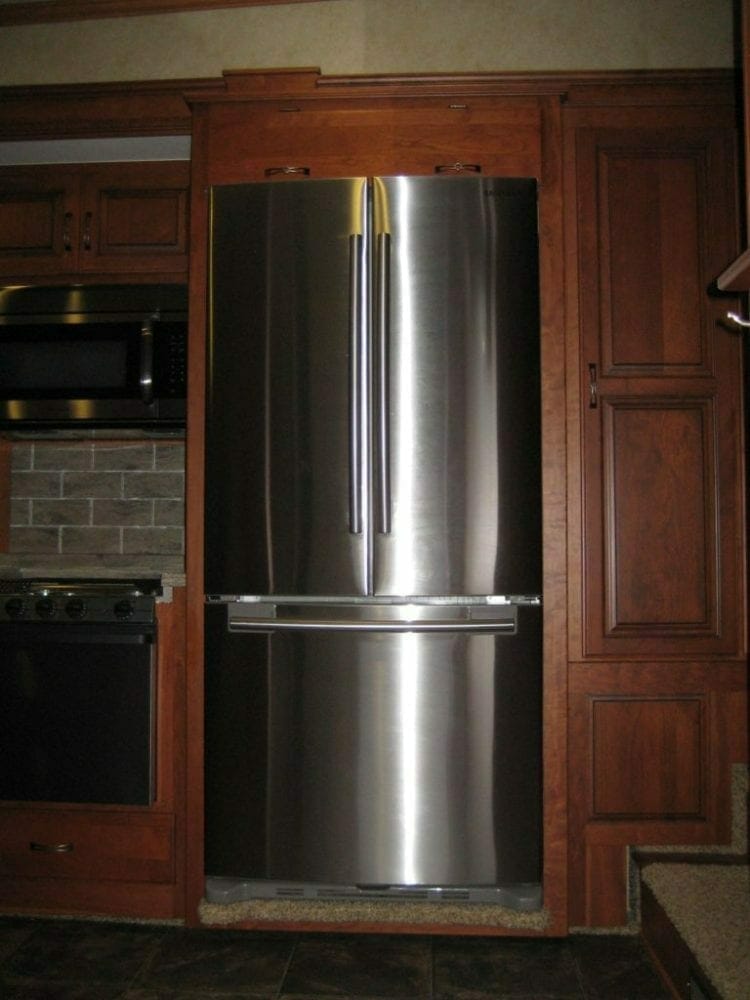
CATEGORY: MAJOR APPLIANCES TOPIC: SAMSUNG RESIDENTIAL REFRIGERATOR NOT COOLING
Posted: 11:08 AM – Sep 30, 2018 #1
Posted By: jlsr See Forum Post HERE
jlsr: Hi! We are wondering if anyone that has the Samsung fridge has had the refrigerator part stop cooling. Ours has but the freezer is still working normally. Samsung said to try defrosting for 24 hrs, turn off for 5 min after defrosted and then turn back on. Did that… did not help. Googling the fridge symptoms turns up this is a common problem but no real definitive fix. I’m calling the extended warranty Co tomorrow… but wish I could fix myself so it doesn’t have to go anywhere. Does anyone know where to unplug this fridge and also how would we get it out of the cabinet in case it has to be replaced? Thanks all ACoch – In my LS36FW the fridge is plugged in behind the drawers in the Kitchen. I had to take the drawers out to get to it. jdpm – In 4 years of use, our Samsung (knock wood) has performed flawlessly all but one time. On one of our 1st trips, we went over a road that caused the rear of the truck – the front of the trailer – to porpoise horribly. It was only for 20 seconds or so but it was harsh. Upon arriving at our destination and getting set up, the unit was not cooling. A was told that this situation had “upset” the cooling system and once it settled down it would be fine. It only took 2 or so hours to be running again just fine. Well, it did and has been fine since. I’m wondering if the ride complaint you have has affected the fridge. Let us know what you find out. JohnD222 – I know that it sounds crazy, but have you tried just unplugging it for 5 minutes, then plugging it back in? Unplugging, not turning it off with the settings/controls. If you have a dedicated surge protector at the frig plugin, turning that off then on does not count. It must be unplugged. This probably means the wall, but if you cannot find that plug, unplug the inverter from the loop (disconnect from batteries), and disconnect shore power. Ask me how I know – Samsung in a stick house. They are great to deal with versus LG. jlsr – Thanks I will try that too. What I did was turn off the main breaker, flipped battery disconnect and also unplugged from shore power for about 10 minutes, but no joy. Finally talked to a real person and Samsung tech is coming Saturday, hope it’s an easy fix. Took drawers out to find plug… nope not behind drawers. Found a black cord plugged in behind the stove, so looks like I have to somehow move stove forward so I can unplug it. That can wait till tomorrow nite. Hope it’s not too big a deal to move that stove out about an inch. What were they thinking putting an electric outlet there? Will keep you posted on my dilemma!
MORE REPLIES – READ COMPLETE POST HERE